Enterprise application integration: Your guide to connecting siloed systems
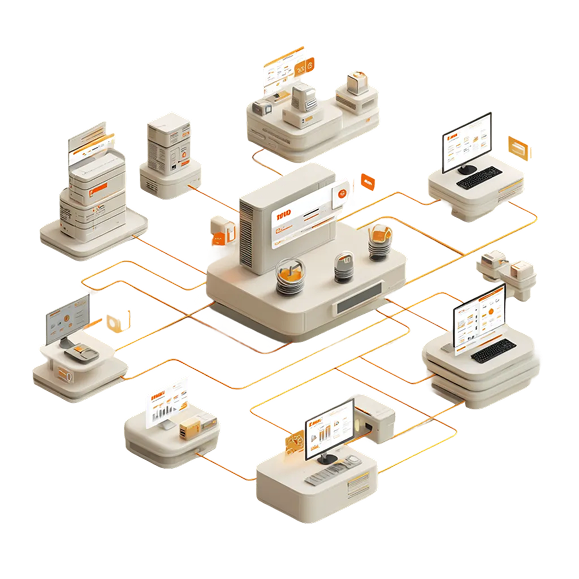
Table of Contents


TL; DR
- Enterprise Application Integration (EAI) connects core business applications so data moves automatically between them
- Without EAI, organizations end up with data silos, manual work, and inconsistent information across teams
- EAI uses middleware, APIs, and messaging systems to sync data between apps in real time or near real time
- Modern EAI platforms don’t require heavy custom code to keep systems connected
- Integration improves process efficiency by eliminating duplicate data entry and broken handoffs
- Sales, support, finance, and product teams benefit from shared, up-to-date data
- EAI reduces costs by letting teams keep existing tools instead of replacing them
- Security and compliance are critical since sensitive data moves between systems
- Scalability matters — integrations should grow as tools, users, and workloads increase
- Done right, EAI becomes invisible infrastructure that keeps the business running smoothly
Most data silos are created by disconnected pockets of data that don’t move, don’t update, and don’t talk to or agree with each other. This is how organizations end up with conflicting numbers, broken handoffs, and workflows that rely on spreadsheets and manual updates.
Enterprise Application Integration (EAI) solves this problem.
In this guide, we’ll break down what EAI really means, how it works, why it matters, and how modern organizations use it to eliminate data silos and run faster, more reliable operations.
What is enterprise application integration (EAI)?
Enterprise Application Integration (EAI) is the practice of connecting different systems and applications that run your business so they can share data and work together in real time instead of operating in isolated silos. It empowers CRM, ERP, finance, HR, support, marketing, and analytics systems to exchange information without manual exports, duplicate entries, or fragile code.
In most organizations, core applications evolve independently. Without EAI, these systems don’t talk, forcing employees to copy/paste, manually reconcile reports, or build fragile connections that break with every update. EAI solves this by using standardized interfaces (often APIs or connectors), shared messaging layers, and orchestration logic so data flows consistently across your stack.
Why is enterprise application integration important?
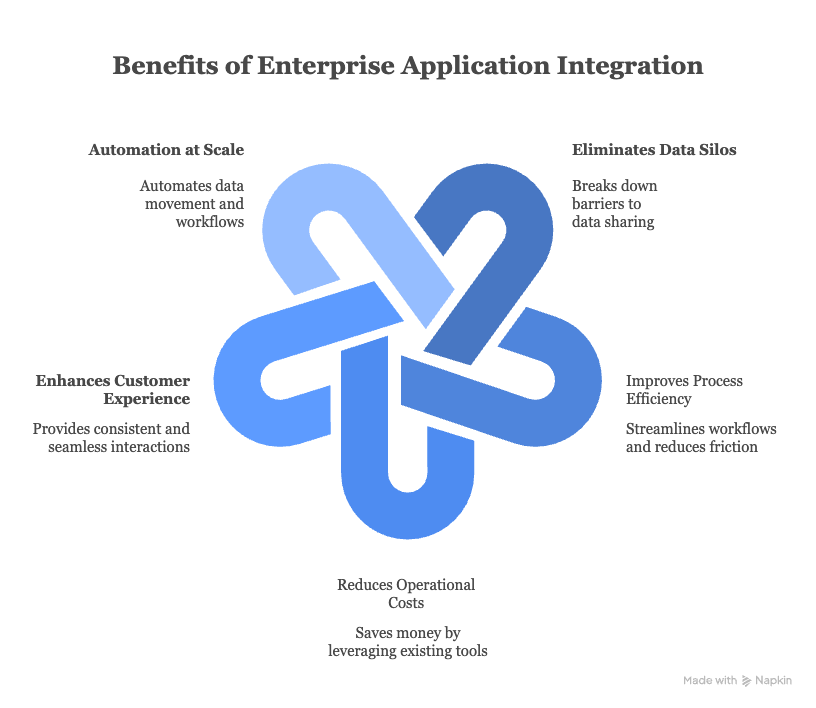
Most organizations don’t integrate applications just for the sake of it. They do it because disconnected systems slow teams down, hide critical data, and create unnecessary cost. That’s why enterprise application integration has gone mainstream.
Here’s why it matters in practice:
- It eliminates data silos: When SaaS applications operate in isolation, data gets trapped. Sales has one version of the customer, support has another, and finance has a third. Integration breaks these data silos. With EAI in place, systems share data automatically and securely. Teams access the same information, in real time, based on their permissions. The result is fewer handoffs, less confusion, and decisions that aren’t based on partial context
- It improves process efficiency: Most business processes span multiple tools. A sales workflow might touch Salesforce, Jira, and a support system. Without integration, teams waste time switching tools, duplicating work, and reconciling data. EAI connects these systems so information flows as the process moves. Sales, engineering, and support see the same customer and deal context, which reduces friction and speeds execution
- Sixth, reduces operational costs: Integration often costs less than replacement. Instead of buying new tools just to access shared data, teams can keep using systems they already use
- It improves the overall experience: When teams share a single, up-to-date view of customer data, experiences become consistent. Support doesn’t repeat questions. Sales understands open issues. Admins see what’s happening in real time
- It enables automation at scale: Modern EAI tools connect systems and automate how data moves between them. With features like AI-powered scripting assistants, teams can automatically sync fields, map statuses, and trigger workflows without heavy custom code. Instead of manually managing integrations, teams describe what they want and the platform handles the logic. This means less manual work, fewer errors, and systems that stay in sync
How does enterprise application integration (EAI) work?
Enterprise Application Integration works by sitting between your systems and making them talk to each other reliably, securely, and without manual effort. Instead of stitching apps together with one-off scripts, EAI creates a shared layer where data can move predictably.
Here’s how it works step by step.
- First, a middleware layer connects everything: EAI starts with integration middleware. Think of it as a central nervous system for your applications. It understands different data formats, routes information to the right systems, and keeps everything in sync
- Second, data is pulled from source systems: Each application exposes data through APIs, database queries, file transfers, or event streams. When something changes (like a new customer in your CRM), the system captures that update automatically
- Third, messages are transformed and routed: Data rarely looks the same across tools. EAI uses message-based communication to transform data into the right format and route it to the right destination, even if systems are temporarily busy or offline
- Fourth, applications are exposed as services: Using service-oriented principles, applications expose reusable services like updating a customer record or checking inventory without sharing raw databases or building custom integrations every time
- Fifth, APIs define how systems interact: Standard APIs act as contracts between systems. This makes integrations stable and scalable when new applications are added
- Sixth, data quality and security is enforced: Before data moves, it’s validated, cleaned, and secured. Encryption, authentication, and access controls protects sensitive data
- Seventh, monitoring keeps everything running: Real-time monitoring tracks every data flow. If something fails, the system retries automatically or alerts your team. Once set up, EAI runs quietly in the background, keeping systems aligned, data accurate, and processes moving without constant human intervention
Key challenges in implementing enterprise application integration
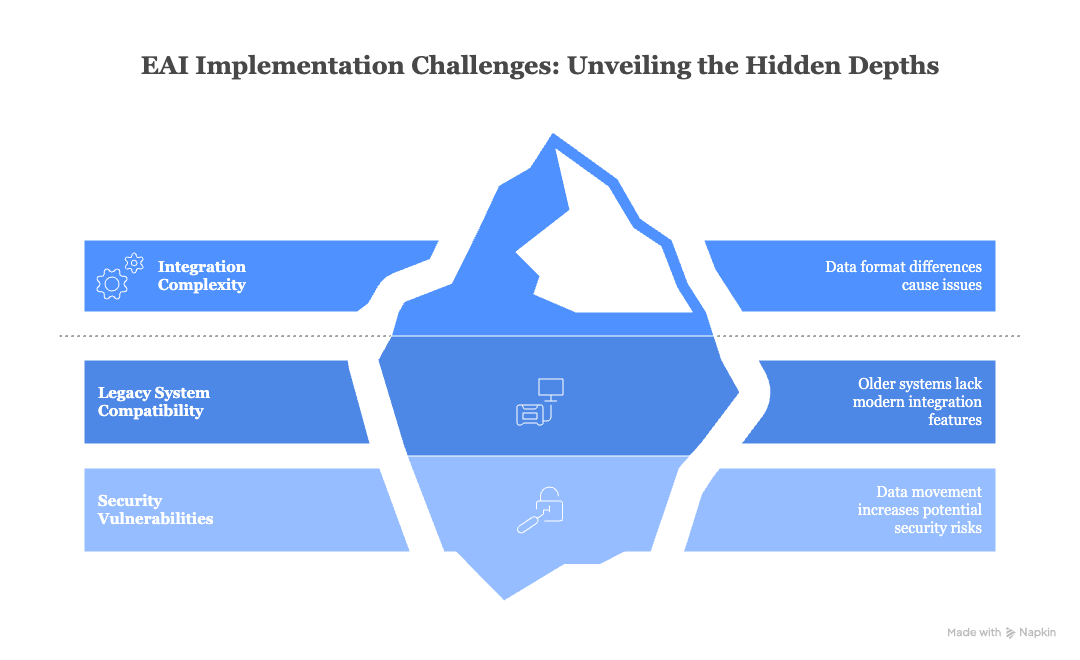
Enterprise Application Integration (EAI) sounds great on paper as it connects your tools, syncs your data, and moves faster. In practice, there are still some challenges teams run into, such as:
- Integration complexity: Every application speaks a different language. All your tools store and structure data differently. When you try to connect them, those differences matter. For example, one system might store customer names as a single field, while another splits them into first and last name. If this isn’t handled properly, data breaks or gets duplicated. That’s why EAI projects can feel complex without the right integration layer
- Legacy systems don’t play nice: Older, legacy applications weren’t built for modern integrations. They may lack APIs or proper documentation. If your team doesn’t fully understand how these systems work, syncing data can lead to missing records, overwritten values, or inaccurate reports, making it risky for legacy finance or operations systems
- Security risks increase with data movement: EAI means data is constantly moving between systems. That includes sensitive customer and business information. Without strong access controls, encryption, and monitoring, every integration point becomes a potential security gap. This means that both your internal teams and the external vendors you work with must follow strict security standards to keep data safe. In short, EAI is powerful but only when complexity, legacy systems, and security are handled deliberately
Use cases of enterprise application integration
Enterprise Application Integration shows up wherever teams are tired of jumping between tools, copying data, and fixing things that break because systems don’t talk to each other.
Here are some of the most common and practical use cases.
- Connecting sales, support, and operations: A classic EAI use case is syncing tools like Salesforce, Zendesk, and an ERP system. When a deal closes in the CRM, customer details automatically flow into billing and onboarding systems. Support teams instantly see contract details, SLAs, and purchase history without asking sales for context
- Automating order-to-cash workflows: EAI helps connect ecommerce platforms, inventory systems, payment gateways, and finance tools. When a customer places an order, stock levels update, invoices are generated, and payments are recorded automatically without manual handoffs or unnecessary delays
- Real-time customer data synchronization: Customer data often lives in multiple systems and platforms. EAI keeps this data in sync so every team works from the same customer profile, whether they’re sending campaigns, handling tickets, or analyzing churn
- ITSM and DevOps alignment: Many organizations integrate tools like Jira, ServiceNow, and GitHub. A bug logged by support can automatically create a Jira ticket. When developers fix it, the status updates in ServiceNow without manual follow-ups. This shortens resolution time and reduces miscommunication between team members
- HR and finance process integration: EAI connects HR systems, payroll tools, and finance platforms. When a new employee joins, access is provisioned automatically. When someone leaves, permissions are revoked, payroll is updated, and compliance records stay accurate
- Reporting and analytics across systems: Instead of pulling reports from five different tools, EAI feeds data into analytics platforms in near real time. Leaders get a unified view of performance across sales, operations, finance, and customer success without waiting for manual data consolidation
At its core, EAI is about removing friction between systems. The less time teams spend syncing tools, the more time they spend actually moving the business forward.
Key considerations when choosing an enterprise application integration solution
Choosing the right EAI platform makes integrations disappear into the background. The wrong one becomes a constant source of friction.
Here are some key considerations:
- Security comes first: Enterprise integrations move sensitive customer, financial, and operational data. Security can’t be an afterthought. Your EAI platform should protect data both in transit and at rest, with strong access controls built in. Think role-based permissions, multi-factor authentication, encryption, audit logs, and compliance with regulations like GDPR or SOC 2. If the platform can’t prove how data is protected, it’s a risk
- Usability and flexibility matter: Integrations shouldn’t be locked behind engineers. Business and ops teams should be able to configure, adjust, and monitor syncs without writing custom code. While scripting can add flexibility, features like AI-assisted setup help teams move faster without breaking things
- Scalability by default: As your tools, users, and workflows grow, your integration layer should scale quietly in the background. Load balancing and performance controls ensure syncs stay reliable, even as volume increases
- Cost should match value: Avoid paying for complexity you don’t need. Choose a solution that aligns with your actual integration goals and budget
- Fit your team’s capabilities: The best EAI solution is one your existing team can run confidently, without constant external help or heavy training
FAQs
What is an example of enterprise application integration?

How does enterprise application integration work?
Why do businesses need enterprise application integration?
Building a data platform doesn’t have to be hectic. Spending over four months and 20% dev time just to set up your data platform is ridiculous. Make 5X your data partner with faster setups, lower upfront costs, and 0% dev time. Let your data engineering team focus on actioning insights, not building infrastructure ;)
Book a free consultationHere are some next steps you can take:
- Want to see it in action? Request a free demo.
- Want more guidance on using Preset via 5X? Explore our Help Docs.
- Ready to consolidate your data pipeline? Chat with us now.
Related articles
%201.svg)
.png)
.png)

How retail leaders unlock hidden profits and 10% margins


Retailers are sitting on untapped profit opportunities—through pricing, inventory, and procurement. Find out how to uncover these hidden gains in our free webinar.
Save your spot