Using genAI for smarter data engineering in the modern data platform
.png)
.png)
Table of Contents


TL; DR
- Data teams waste most of their time cleaning and fixing data, not producing insights
- AI data engineering = an AI co-pilot that writes SQL/ETL, generates docs, fixes errors, and understands your data ecosystem
- Top use cases: automated SQL/dbt, cross-dialect translation, schema inference, auto-docs, anomaly detection, data recommendations, and AI-assisted ingestion/orchestration
- Benefits: massively faster development, more throughput, expanded analyst capability, lower infra costs, and stronger standardization
- Challenges: security risk if prompts leak sensitive data, lack of data culture, dirty data, AI mistakes, and governance/compliance alignment
- Best practices: start small, keep human review, train teams on prompting, embed AI in existing tools, and enforce clear safety rules
- 5X is a unified, governed, AI-native platform that accelerates ingestion, modeling, and analytics while keeping data private and compliant
Every company says they want to be data-driven, but most are stuck in the same place: their data teams spend most of their time fixing problems instead of producing insights. The majority of a team’s time is burned before analysis even begins.
That lost time means delayed decisions, slow reporting cycles and a growing gap between what business teams expect and what data teams can realistically deliver.
Here is the kind of situation almost every company experiences. Your marketing team exports leads from their CRM. Your product team exports user events. Both datasets describe the same customers but with different structures, different naming conventions and different levels of completeness.
Instead of quickly answering questions like “Which channel drives the highest value customers,” your data engineers spend hours cleaning columns, fixing timestamps, dealing with duplicates and resolving inconsistent IDs.
If you want faster insights and a team that can finally focus on real analysis, you need a better way to handle this heavy lifting. That is where generative AI in data engineering is starting to reshape what is possible.
What is generative AI data engineering?
Generative AI data engineering refers to using generative AI and other AI techniques to assist in the creation, management, and optimization of data pipelines and infrastructure.
In simple terms, it means your data engineering tools get an “AI co-pilot.” Instead of manually writing every ETL script, an engineer can leverage AI to generate code, document datasets, fix errors, and more, using natural language prompts and learned patterns.
Also read: How to Build a Custom GPT with Your Enterprise Data
Key characteristics of AI-driven data engineering include:
- Natural language to code: You describe what you need (e.g. “filter out inactive customers and calculate monthly revenue growth”) and GenAI writes the SQL or pipeline code for you
- Automated asset generation: The AI can generate not just code but also tests, documentation, even schema definitions from sample data (like inferring a table schema from a JSON file)
- Iterative refinement: Engineers work with the AI by reviewing and refining its outputs. For instance, you might prompt, “Make that query more efficient” or “Add a unit test for null values,” and the AI will adjust the code accordingly
- Deep context awareness: Modern AI data engineering tools can leverage context from your existing data ecosystem. E.g., understanding table relationships, data lineage, and business definitions to create outputs that fit your environment
6 Use cases for GenAI in data engineering
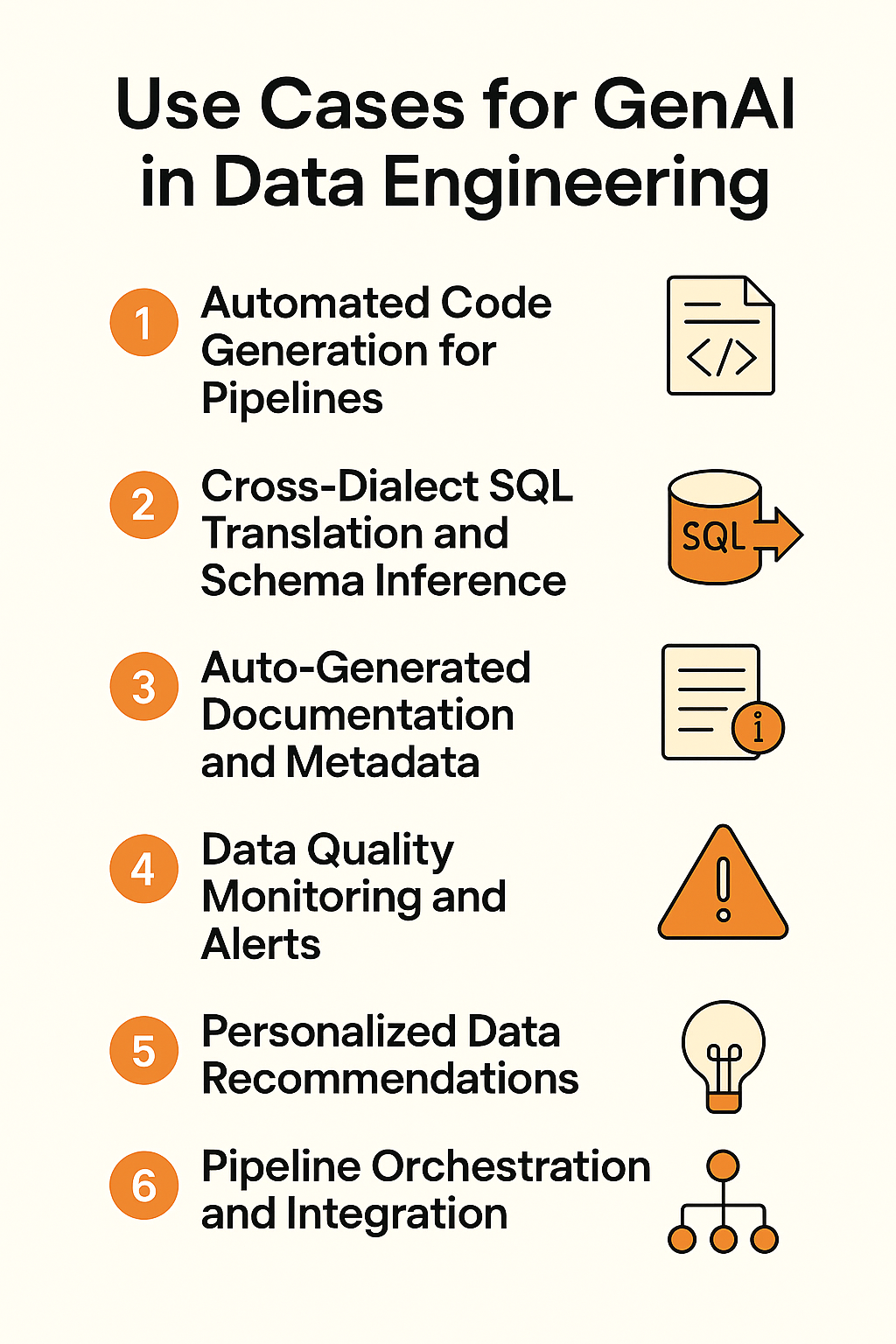
How exactly can generative AI assist data engineers? Let’s see some practical use cases that are already emerging. These examples show where GenAI can plug into your data engineering workflow and deliver efficiency gains:
1 Automated code generation for pipelines
GenAI can write boilerplate code for you. Tools now convert text prompts into SQL or Python. For example, say “Join the sales and marketing tables and calculate quarterly growth,” the AI can output the SQL SELECT statement with the proper joins and calculations.
This can cut coding time by 45–50% in software development. Data engineers similarly report huge time savings using AI assistants for writing dbt models or Spark jobs.
2 Cross-dialect SQL Translation and schema inference
Many data engineers work across multiple SQL dialects (e.g., PostgreSQL, Snowflake SQL, Spark SQL) and cloud platforms. GenAI can translate queries between dialects automatically. Instead of manually rewriting a query for a different database, you can ask the AI to convert it.
3 Auto-generated documentation and metadata
Documentation is often neglected because it’s time-consuming. GenAI changes that. It can draft table descriptions, column definitions, and data dictionaries by analyzing the data and metadata.
For example, if you have a table orders, an AI tool can produce a description like “Contains all customer orders, one row per order, with fields for order date, amount, customer ID, etc.” based on context.
4 Data quality monitoring and alerts
A lot of AI is the quality of the data, which is where our focus is right now. What's the internal data that we want to feed these models, and what are the use cases that we want to unlock?
~ Kiriti Manne, Head of Strategy & Data at Samsara
How Samsara’s Attribution Model Turns Data into Gold
Adopting AI in your data engineering workflow comes with significant benefits, but also some challenges to navigate. Let’s break them down:
1 Faster development and engineering efficiency
The most obvious benefit is speed. Tasks that used to take hours or days (writing code, fixing bugs, documenting, etc.) can be completed in minutes with AI assistance. For example, writing a new SQL model in half the time using AI, or cutting a code review from 5 hours to 30 minutes.
By 2028, 90% of software engineers will be using AI code assistants in some form.
2 Higher throughput and space for innovation
With AI handling the heavy lifting of mundane tasks, data teams are freed to focus on more innovative and high-impact tasks. Instead of being bogged down writing yet another ETL job, engineers can spend time on improving data architecture, designing better schemas, or exploring new data products.
In the short term, this means more projects get done (since AI shaved hours off each task). In the long term, it means the team can tackle ambitious initiatives, like building predictive models or launching a new analytics service, because their bandwidth isn’t fully consumed by pipeline maintenance.
3 Broader access to data engineering
Generative AI lowers the barrier to entry for data engineering. Junior engineers or even savvy analysts can accomplish things that previously required a senior engineer’s expertise.
For example, an analyst might use a natural language interface to generate a complex SQL query that they wouldn’t have known how to write manually. This means more team members can contribute to data projects, breaking down silos between data engineering and analytics.
4 Infrastructure cost optimization
Beyond human efficiency, AI can help optimize technical costs. By suggesting more efficient query patterns or storage choices, AI might reduce your cloud data warehouse bill (e.g. identifying a heavy query that can be rewritten for lower cost).
AI can also help tune pipeline schedules and resources, ensuring you’re not over-provisioning. While still an emerging area, this AI-driven optimization can have real dollar impacts on your data platform’s ROI.
5 Consistent governance and standardization
Interestingly, using AI can also improve standardization. If an AI is generating most of your code or docs, it will do so in a consistent format (it’s following patterns it was trained on).
This can enforce coding standards and documentation practices automatically, which is something many teams struggle with.
Also read: Enterprise Data Governance Framework & Best Practices
Considerations while implementing generative AI in data engineering
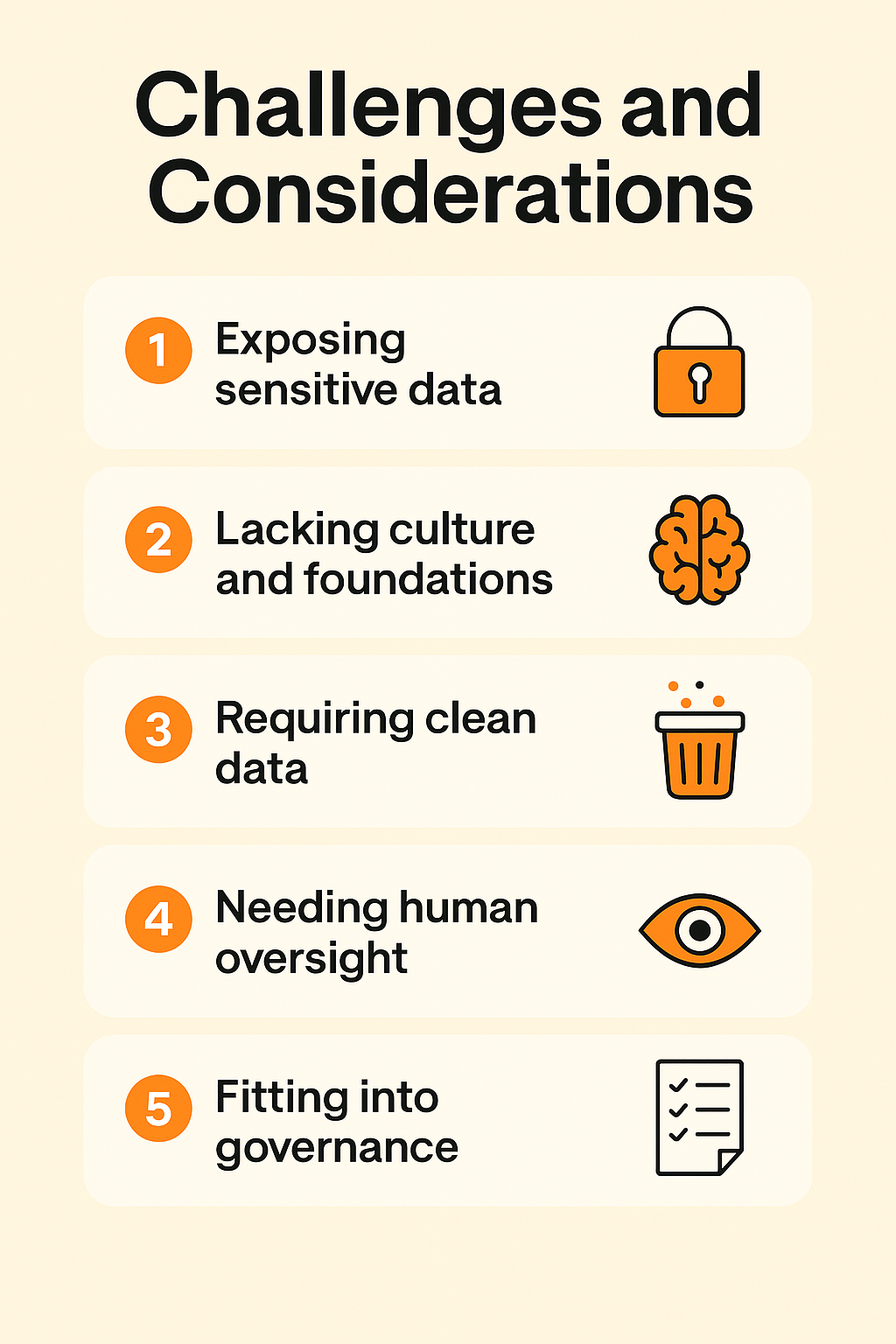
Before you rush to add AI to every aspect of your data workflow, be mindful of these challenges:
1 AI can expose sensitive data if not secured
Sending your database schema or code to an AI service (like an API) can raise legitimate security concerns. Many GenAI tools rely on cloud APIs (e.g. OpenAI), which means your prompts or data might leave your secure environment.
Protecting sensitive data is paramount. Strategies to mitigate this include using self-hosted AI models, anonymizing or masking data before sending to AI, and choosing vendors with strong privacy commitments
2 AI fails without the right culture and foundations
Introducing AI into workflows requires buy-in and understanding from the team. If your organization lacks a data-driven culture or the foundational data infrastructure, AI won’t magically fix that. Teams need training on how to effectively use AI tools (prompt engineering is a skill!).
3 AI only performs well with clean, structured data
Nearly everything today—from the way we work to how we make decisions—is directly or indirectly influenced by AI. But it doesn’t deliver value on its own. AI needs to be tightly aligned with data, analytics and governance to enable intelligent, adaptive decisions and actions across the organization.
~ Carlie Idoine, VP Analyst at Gartner
Gartner Announces the Top Data & Analytics Predictions
AI is not a cure-all; it works best when your data is relatively clean and well-structured to begin with. Garbage in, garbage out still holds.
If your pipelines are producing unreliable data, an AI might accelerate delivering that bad data faster!
4 AI needs human oversight to avoid costly errors
AI can and will make mistakes. It might generate a SQL query that produces the wrong result, or a documentation snippet that is slightly inaccurate. Blindly trusting AI outputs in production is dangerous. You need processes for review and validation of AI-generated work.
This could mean having another engineer approve AI-written code, or testing AI-suggested transformations against a sample of data to verify correctness.
Additionally, define clearly where AI will not be used. For example, you might decide that final sign-off on schema design or critical business metrics must be done by a human, even if AI provides suggestions.
5 AI must fit into your governance and compliance workflows
In heavily regulated industries or any enterprise concerned with compliance, you must be able to explain and audit any automated decisions. If AI is writing transformation logic, you should keep logs of prompts and outputs. It’s important to integrate AI tools in a way that fits with your change management processes.
Almost every role in the organization interacts with data for decision-making. Governance ensures that this data is trustworthy and aligned with our business goals.
~ McKinley Hyden, Director of Data Value and Strategy at the Financial Times
How Financial Times Built Data Capabilities Worth £3.2M (and counting!)
5 GenAI best practices for data engineering teams
If you’re ready to incorporate GenAI into your data engineering processes, these best practices and tips will help you get the most value:
1 Start with targeted AI use cases that solve real pain
Don’t just adopt AI because it’s trendy; identify where it can truly solve a pain point for your team. Good starter use cases include: generating SQL from natural language, auto-documenting tables, or assisting with code reviews. Pick one or two to pilot first.
2 Keep human review in place to catch AI mistakes
Always have a human review AI outputs, especially early on. Treat GenAI as a junior engineer; super fast, but prone to occasional mistakes or misunderstandings. Establish a code review or validation step for AI-generated code and data transformations.
3 Train your team on effective prompting and AI context
The quality of AI outputs often depends on how you ask. Teach your team how to give effective instructions to AI (prompt engineering).
For example, Summarize the differences between Table A and Table B might yield better results than “Document Table A.” Encourage sharing of successful prompt patterns among the team.
4 Embed AI into the tools your team already uses
The best approach is to embed AI into the tools and workflows your team already uses instead of introducing a completely new interface. Many modern data systems now include built-in AI capabilities, such as development assistance, smarter data quality insights, and natural language querying in analytics platforms.
Using an integrated data platform with GenAI support, such as 5X, can simplify this, since it brings AI into ingestion, transformation, and BI in one place.
5 Set clear rules for safe and responsible AI usage
Create team guidelines for how AI should be used in your data engineering process. For example, decide on acceptable data to share with external AI APIs (or mandate that only certain approved tools/models can be used which meet your security criteria).
Set expectations on verification: e.g., “if AI generates a SQL query, the engineer must test it on a small data sample for accuracy before deploying.”
If you use 5X, take advantage of our support and guidance on using GenAI features. Often, our solution engineers can share how other customers are using the AI capabilities.
How GenAI + 5X redefine the future of data engineering
GenAI is rewriting the rules for data engineering, but the real unlock happens when you combine it with the right platform.
That’s where 5X comes in.
Instead of stitching together tools or wrestling with brittle pipelines, 5X gives you one unified environment where AI, governance, ingestion, modeling, and analytics actually work together.
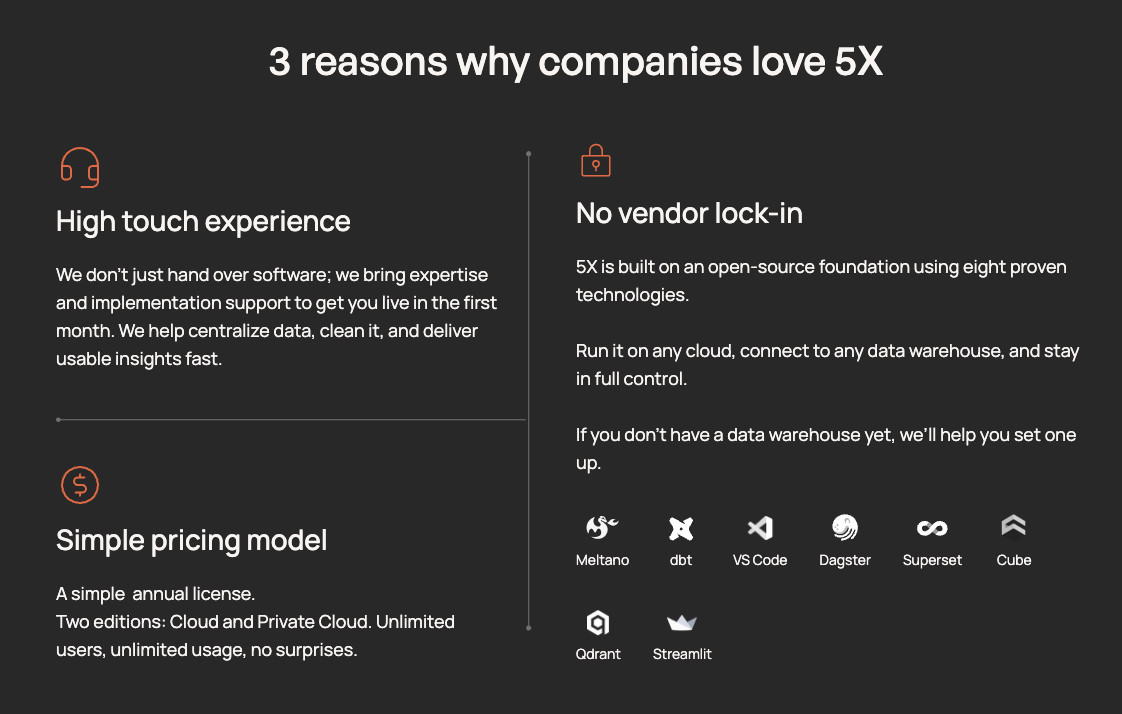
You get faster pipelines, cleaner data, and a stack that scales without adding more headcount or complexity.
FAQs
Will genAI replace data engineers?

What are the top use cases of GenAI in data engineering?
3 What tools are available for GenAI-powered data engineering?
4 How should data teams safely adopt GenAI in their workflows?
Building a data platform doesn’t have to be hectic. Spending over four months and 20% dev time just to set up your data platform is ridiculous. Make 5X your data partner with faster setups, lower upfront costs, and 0% dev time. Let your data engineering team focus on actioning insights, not building infrastructure ;)
Book a free consultationHere are some next steps you can take:
- Want to see it in action? Request a free demo.
- Want more guidance on using Preset via 5X? Explore our Help Docs.
- Ready to consolidate your data pipeline? Chat with us now.
Related articles
%201.svg)
.png)

How retail leaders unlock hidden profits and 10% margins


Retailers are sitting on untapped profit opportunities—through pricing, inventory, and procurement. Find out how to uncover these hidden gains in our free webinar.
Save your spot